
Google Arts App City Guide AI Pilot In 11 Cities
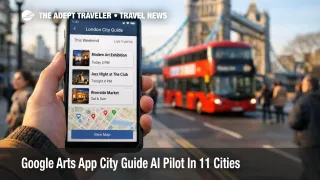
Google Arts App City Guide is now being piloted inside the Google Arts & Culture app as a new, experimental way to plan culture focused sightseeing and live events in a single city. Travelers who are already on the ground in one of the 11 pilot cities, or who are planning short breaks there, are the most likely to notice the change because the feature is designed around quick time windows like "Today" or "This weekend." The practical next step is to treat it as a fast discovery layer, then confirm hours, ticket rules, and sell out status directly with venues before you lock your day.
The Google Arts App City Guide change is that Google is testing an itinerary style planner that adapts to your timeframe and interests, and can optionally surface live events, not just permanent landmarks.
City Guide is built around choosing a timeframe and picking from interest categories that shape what it recommends, with an option to show live events only. In practice, that means the tool is trying to answer a traveler's real constraint, which is limited time, and not just list "top sights." Google says the pilot currently covers London, England, Tokyo, Japan, New York, New York, Paris, France, Rome, Italy, Barcelona, Spain, Istanbul, Türkiye, Osaka, Japan, Berlin, Germany, Madrid, Spain, and San Francisco, California.
Alongside the planner, Google is also piloting Comic Postcards, a generative AI feature that uses a selfie plus mood and art style choices to create a short comic set in the city you are visiting. Google positions it as a travel memento that also teaches the user about the selected art style while the comic is generated.
Who Is Affected
Travelers visiting the 11 pilot cities are the core audience, especially anyone trying to build a culture forward schedule that mixes famous sites with current exhibitions and performances. City breaks are the highest value use case because a tool that surfaces what is happening right now can reduce the time you spend searching across venue sites and social feeds, and it can help you avoid arriving to find that an exhibit ended, or that a museum day changed.
Travel advisors and planners may also care, not because this replaces booking tools, but because it shifts where initial demand originates. If more travelers start their "what should we do" loop inside a culture app, then the pressure moves downstream to timed entry tickets, transit routing, and meal reservations that cluster around event start times, which can tighten a day even when the attractions themselves are close together.
Travelers who are privacy sensitive, or who do not want to capture and upload selfies, are more impacted by Comic Postcards than by City Guide. Comic Postcards is optional, but it is explicitly designed around a selfie driven output, so it is worth deciding ahead of time whether you want a shareable artifact, or whether you prefer to keep trip memories offline.
What Travelers Should Do
If you are traveling in one of the pilot cities, download or update the Google Arts & Culture app, run City Guide with your actual time constraints, and use the results as a shortlist. Then confirm opening hours, timed entry requirements, and ticket inventory directly with the venue before you commit your transit and meal plan, because "discover" is not the same as "available."
Rebook versus wait decisions here look like capacity math. If the app points you to something with a fixed start time, limited seats, or a limited run exhibition, book it promptly and build buffers around it. If what you want is a flexible museum afternoon, prioritize places with all day entry windows, and keep one backup option nearby in case a line, a closure, or a sold out timeslot breaks the first plan.
Over the next 24 to 72 hours before you go, monitor three things: venue calendars for added or cancelled performances, ticketing language that switches from walk up to timed entry, and your own itinerary density. City plans fail most often when a single fixed time event forces two or three knock on changes, so keep at least one flexible block you can slide, such as a park walk, a market stop, or a neighborhood roam, rather than stacking timed tickets back to back.
For a traditional, long form plan that is not dependent on a pilot feature, compare your City Guide shortlist against a full itinerary like London Travel Guide: The Ultimate 7-10 Day Itinerary for First-Time Visitors. If you are using the Tokyo pilots, keep in mind that culture and nightlife logistics can still be constrained by venue rules that no itinerary engine will reliably predict, as seen in Shibuya Izakaya Under 40 Age Limit at Tori Yaro.
How It Works
City Guide is positioned as an adaptive guide rather than a static directory. The core mechanism is simple from a traveler standpoint: you tell it how much time you have, you pick interest categories, and you can optionally restrict the view to live events, which pushes it toward exhibitions and performances that are happening now. That structure matters because it forces planning to start with constraints, not with a list of "top 10" landmarks, which is often the wrong shape for a real trip day.
The first order effects show up at the discovery layer, you may find more time sensitive options faster, and you may be nudged into splitting a day into "fixed time" and "flex time" blocks. The second order ripples hit two other layers quickly. One is ticketing and venue operations, because a surge toward live events means more travelers competing for limited seats, timed entry windows, and short run exhibitions, which can increase sell out risk and force earlier commitment. Another is the street level logistics layer, since fixed start times propagate into transit choices, rideshare demand peaks, and dinner reservation timing, especially in dense cities where a late arrival can mean missing the last entry slot rather than simply waiting in line.
Comic Postcards sits in a different part of the travel system, memory making and sharing. Google describes it as a generative AI experience that uses a selfie plus mood and art style preferences to cast the user as the protagonist in a city specific comic, with an educational component about the art style selected. Operationally, it is less about getting you to a venue on time, and more about producing a shareable artifact that can influence where you choose to stop, and how you narrate the day afterward.